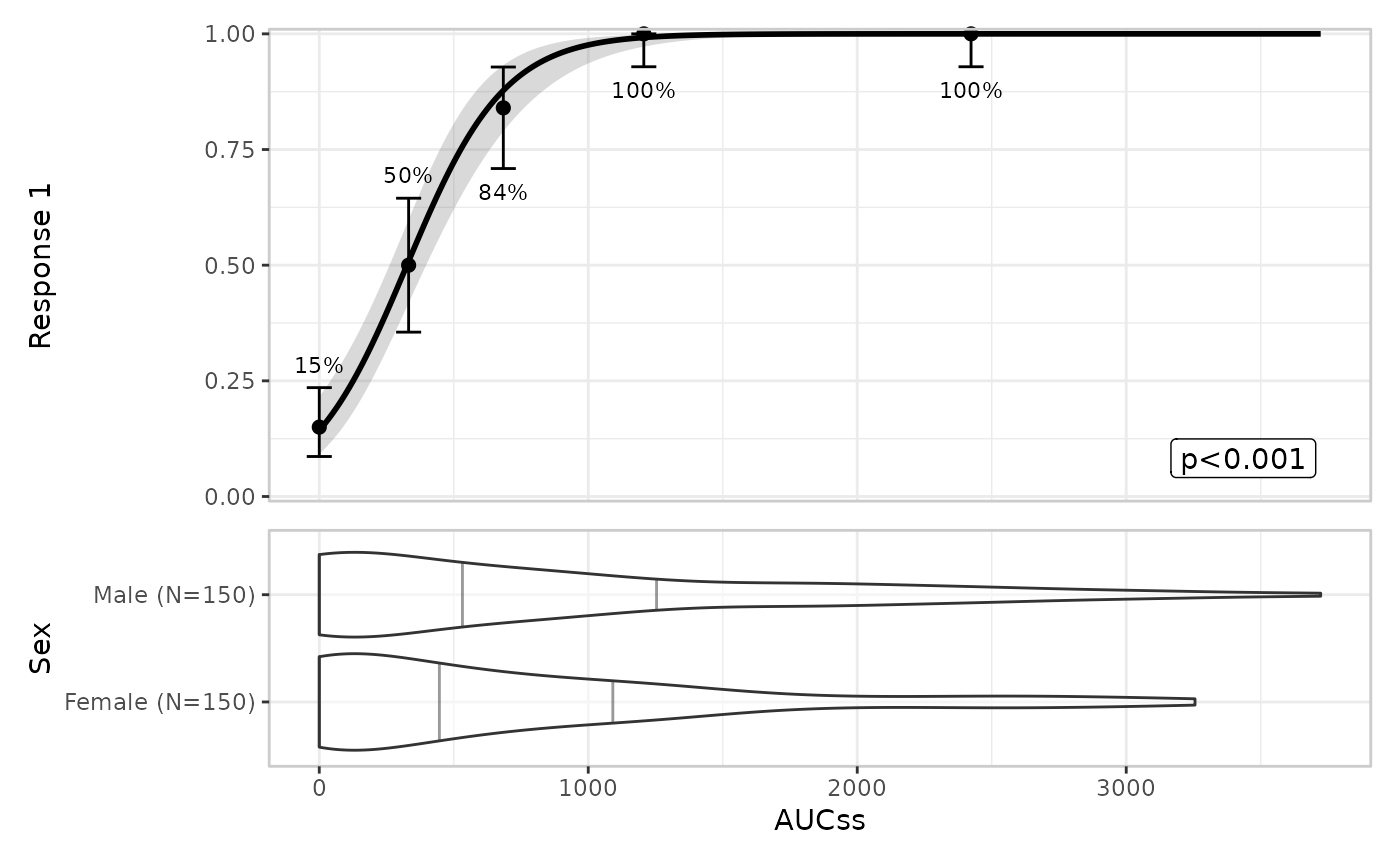
This is the plotting article
Defining plots
Basic usage
lr_data |>
  lr_plot(exposure = aucss, response = ae1) |>
  lr_plot_show_model() |>
  lr_plot_show_quantiles() |>
  plot()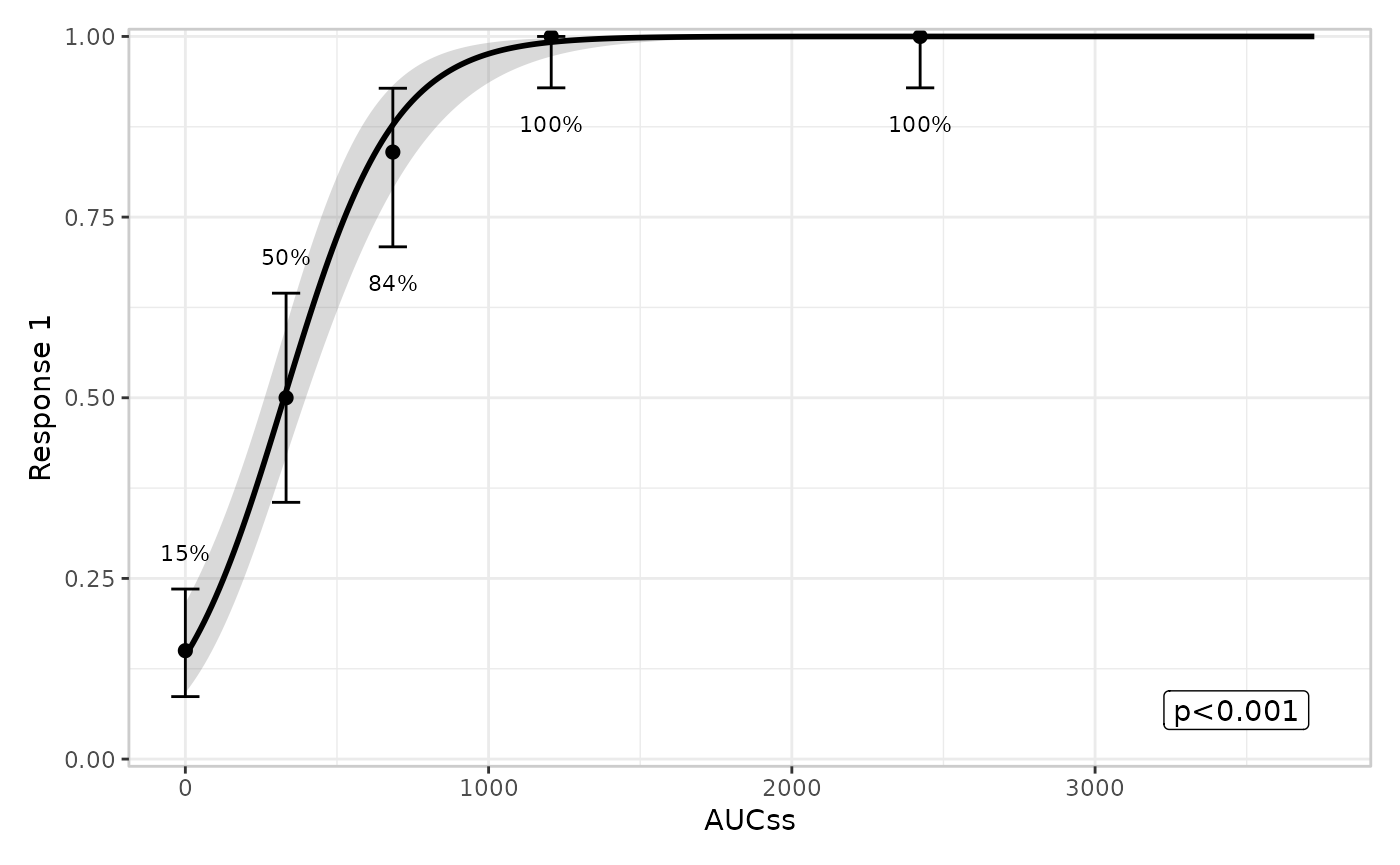
Adding extra components
lr_data |>
  lr_plot(exposure = aucss, response = ae1) |>
  lr_plot_show_model() |>
  lr_plot_show_quantiles() |>
  lr_plot_show_datastrip() |>
  lr_plot_show_groups(group_by = aucss) |>
  plot()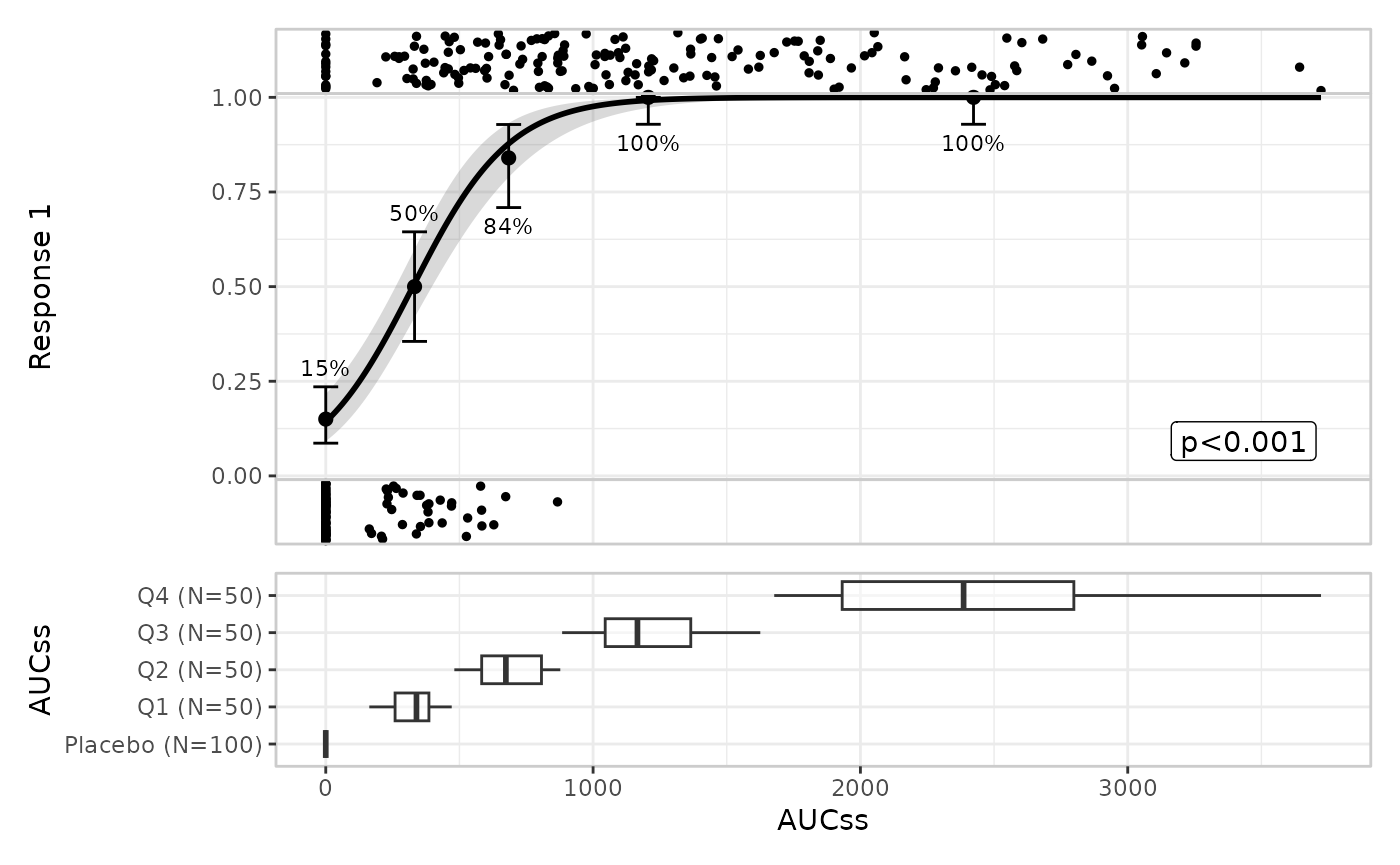
Stratification
Stratification adds colour across all components
lr_data |>
  lr_plot(
    exposure = aucss,
    response = ae1,
    stratify_by = sex
  ) |>
  lr_plot_show_model() |>
  lr_plot_show_quantiles() |>
  lr_plot_show_datastrip() |>
  plot()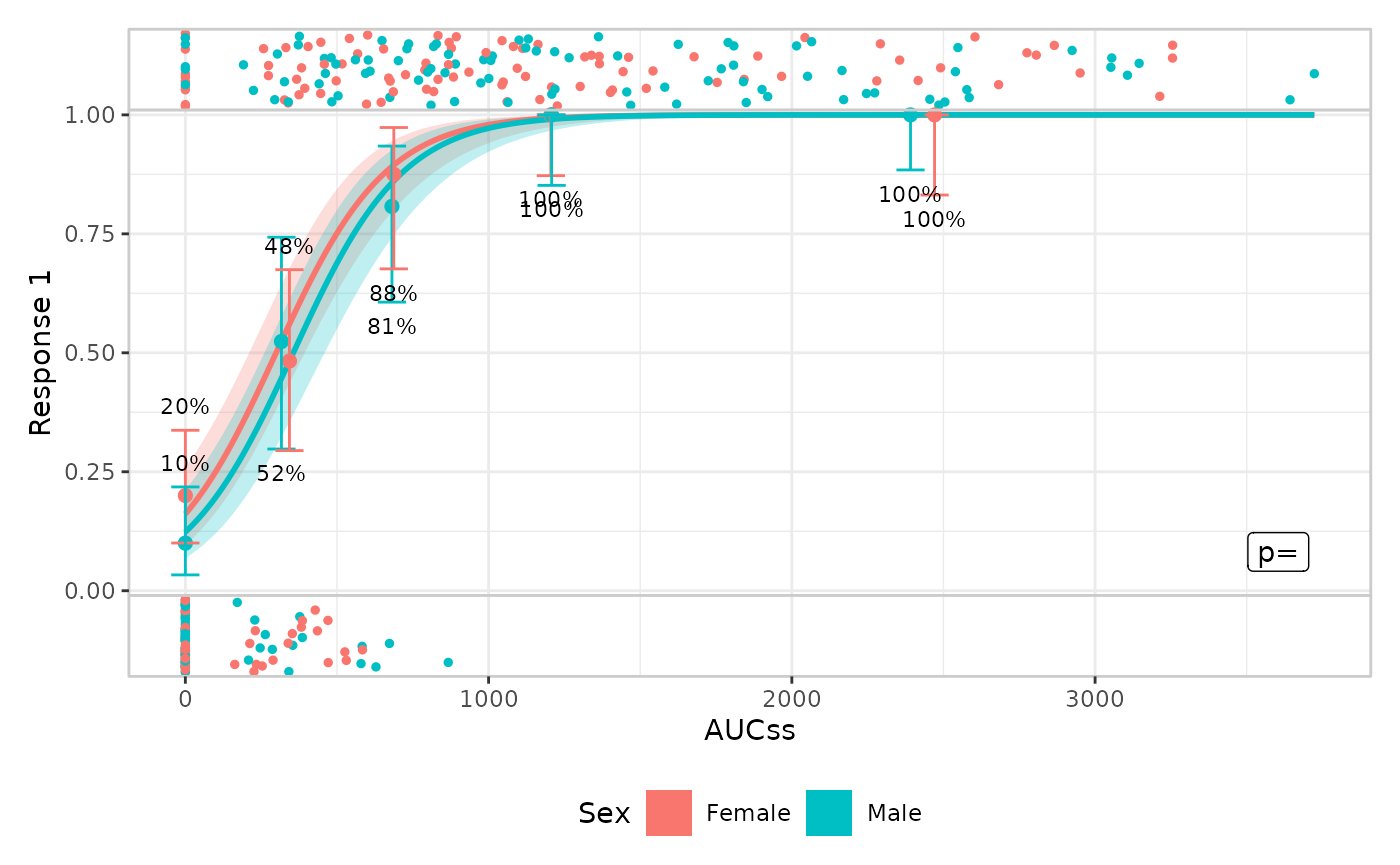
You can suppress stratification for specific components
lr_data |>
  lr_plot(
    exposure = aucss,
    response = ae1,
    stratify_by = sex
  ) |>
  lr_plot_show_model(keep_strata = FALSE) |>
  lr_plot_show_quantiles() |>
  lr_plot_show_datastrip() |>
  plot()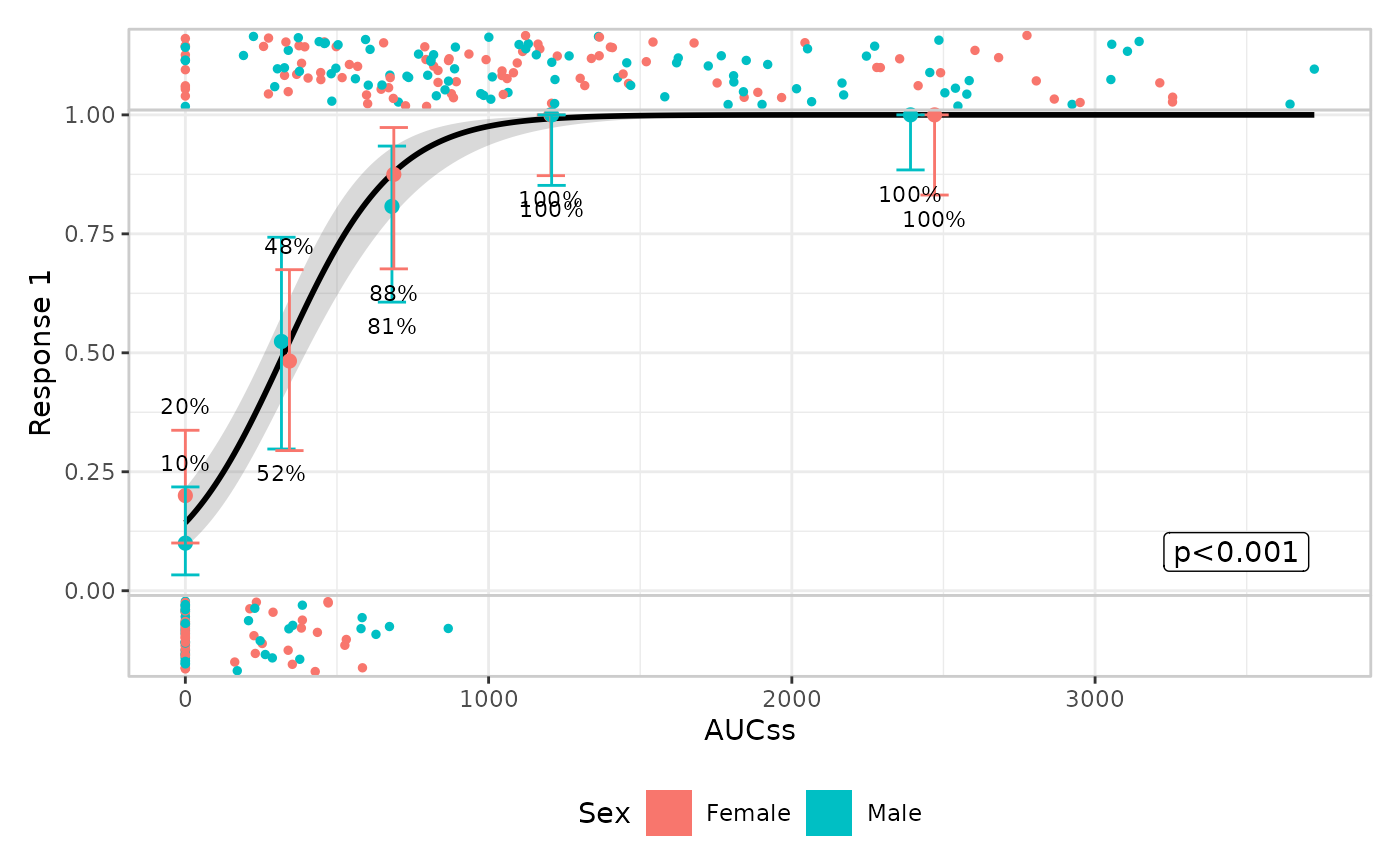
Model component
Default is style = "ribbonline" but you can also draw
spaghetti plots to represent parameter uncertainty
lr_data |>
  lr_plot(aucss, ae1) |>
  lr_plot_show_model(style = "spaghetti") |>
  lr_plot_show_quantiles() |>
  plot()
#> Using seed = 4371
#> Warning in ggplot2::geom_path(data = sim, mapping = ggplot2::aes(x =
#> .data[[exposure$name]], : Ignoring unknown parameters: `fill`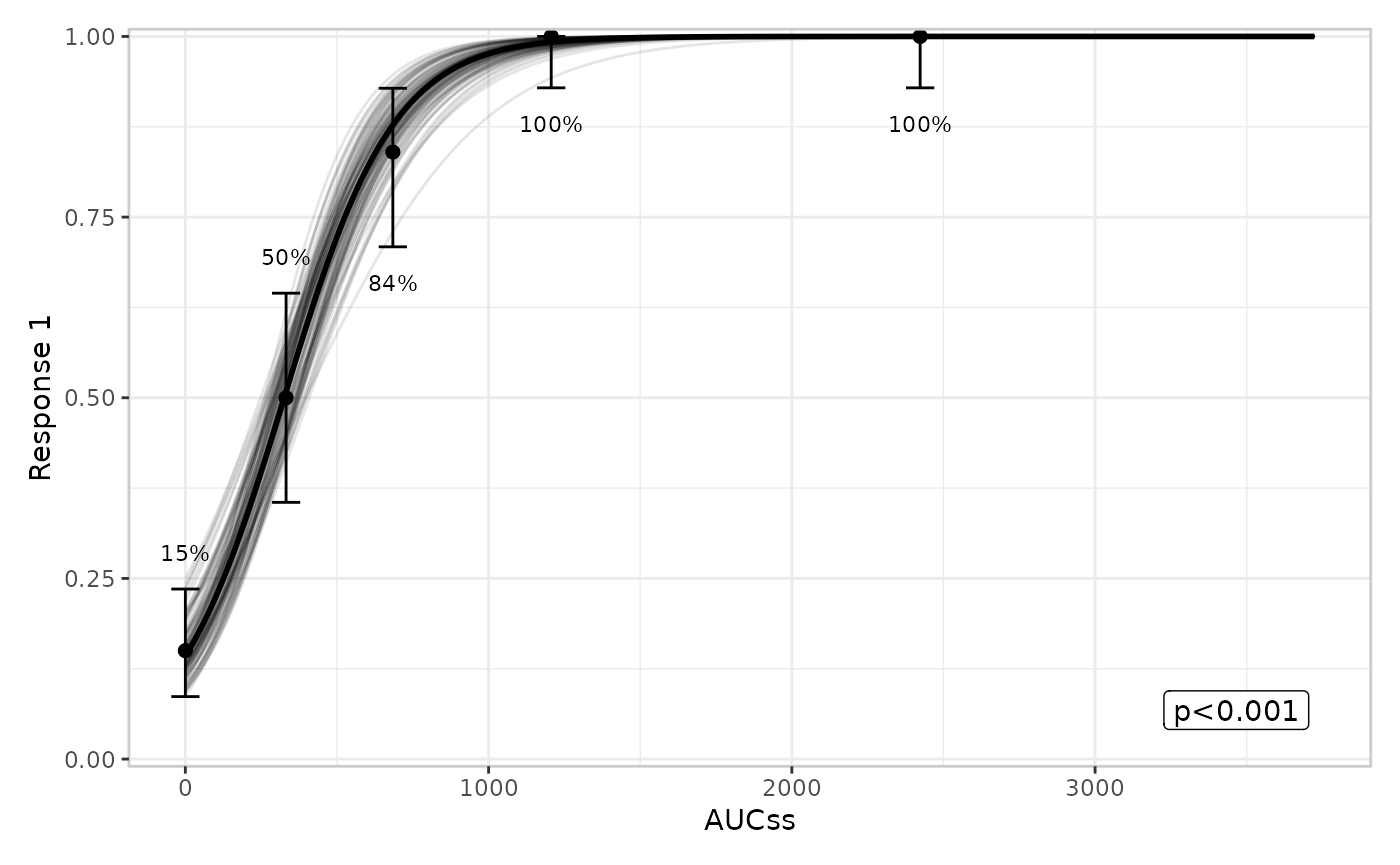
Quantile component
You can modify the number of bins:
lr_data |>
  lr_plot(aucss, ae1) |>
  lr_plot_show_model() |>
  lr_plot_show_quantiles(bins = 6) |>
  plot()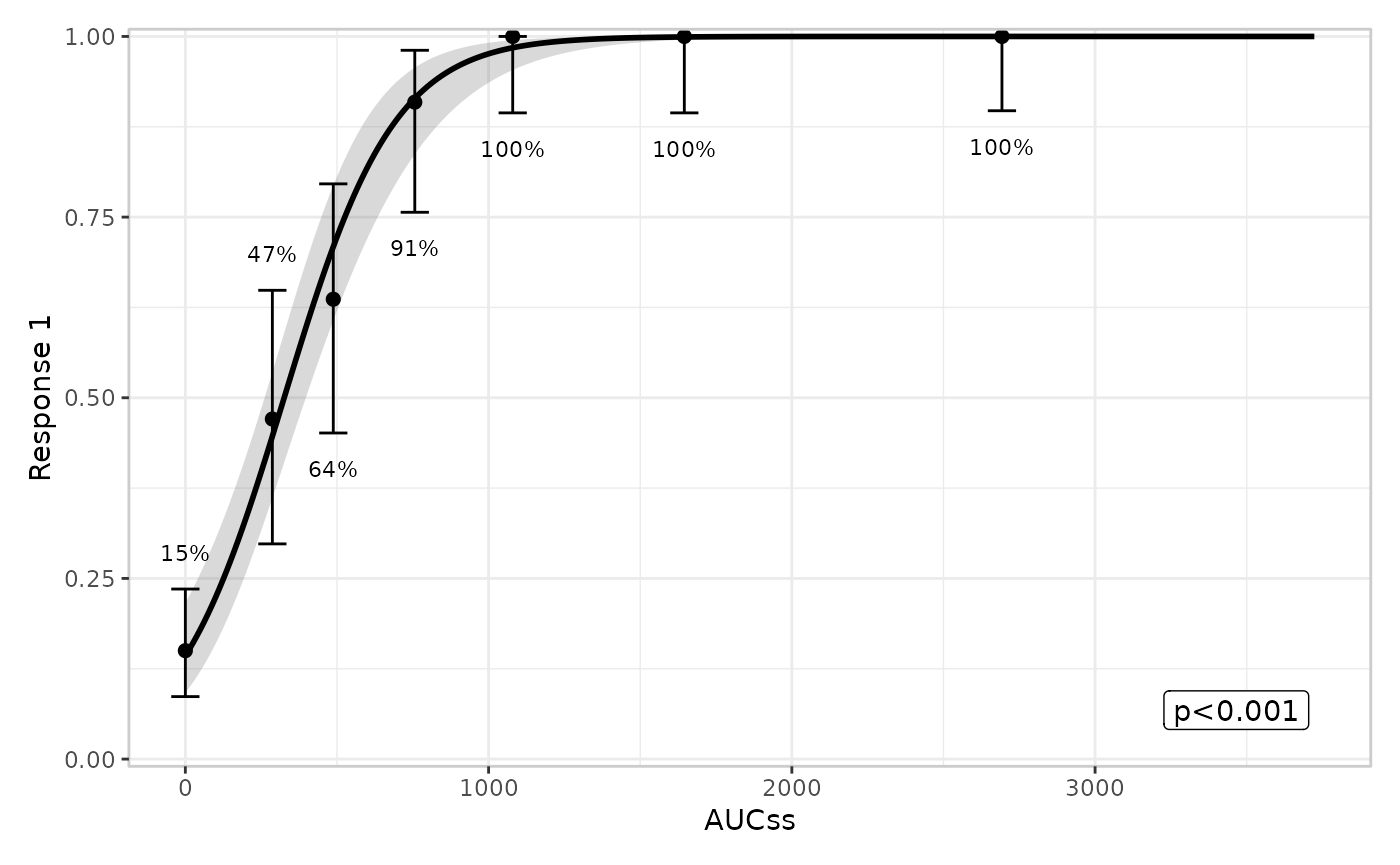
You can also modify the confidence level for the Clopper-Pearson interval:
lr_data |>
  lr_plot(aucss, ae1) |>
  lr_plot_show_model() |>
  lr_plot_show_quantiles(bins = 6, conf_level = .8) |>
  plot()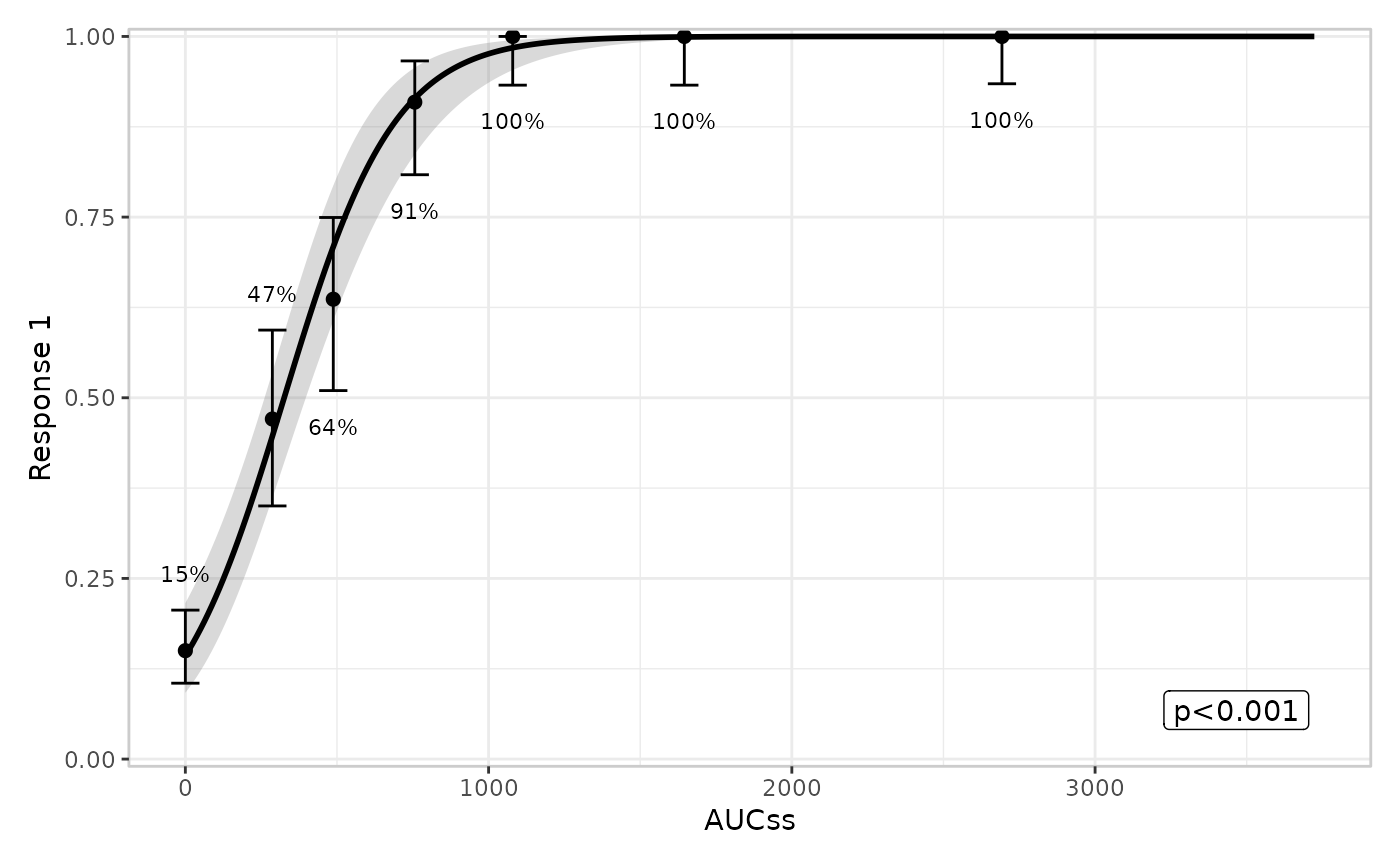
Group component
Multiple grouping variables are allowed:
lr_data |>
  lr_plot(aucss, ae1) |>
  lr_plot_show_model() |>
  lr_plot_show_quantiles() |>
  lr_plot_show_groups(group_by = c(aucss, sex)) |>
  plot()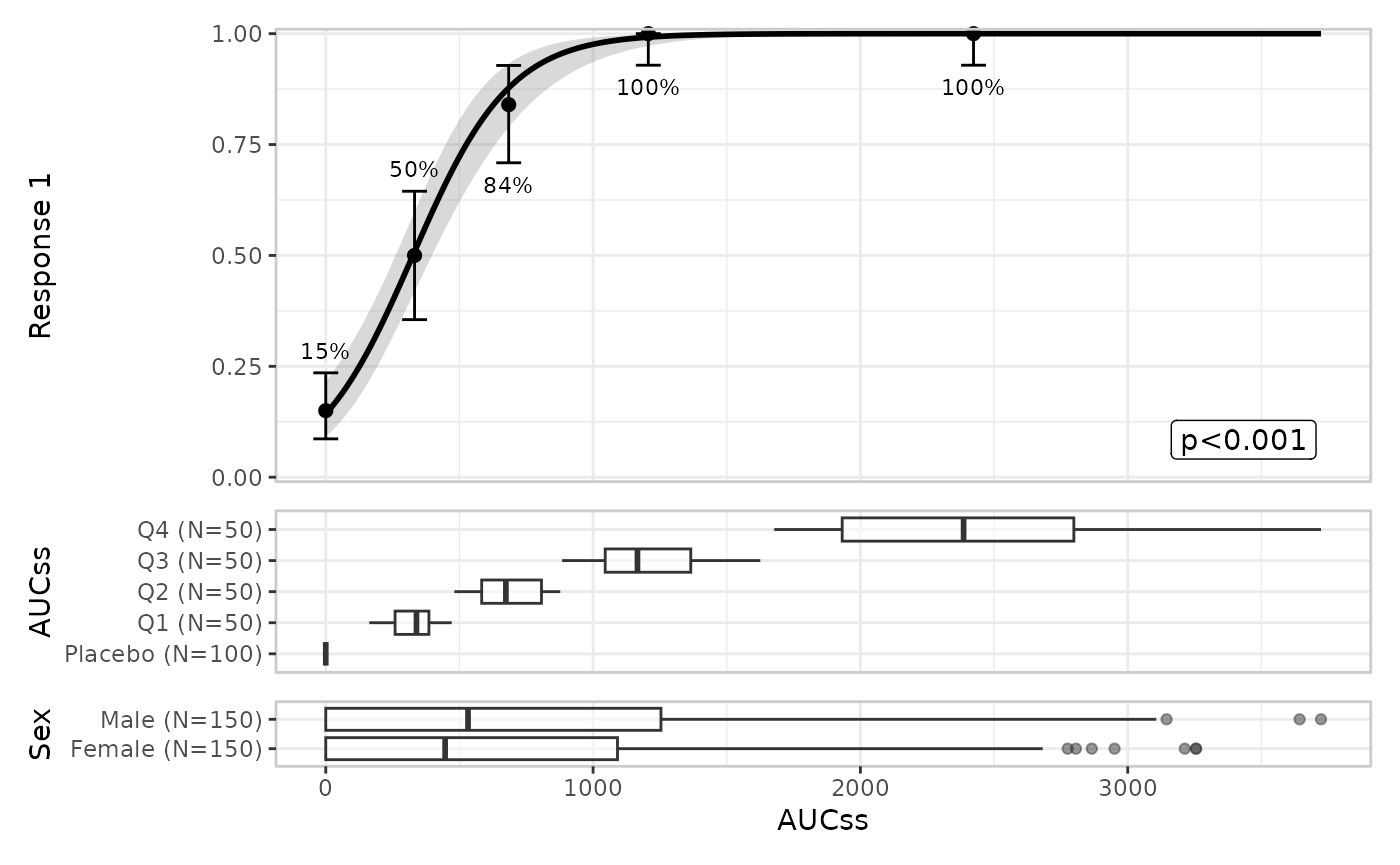
Stratification propagates to the group component:
lr_data |>
  lr_plot(aucss, ae1, stratify_by = sex) |>
  lr_plot_show_model() |>
  lr_plot_show_quantiles() |>
  lr_plot_show_groups(group_by = aucss) |>
  plot()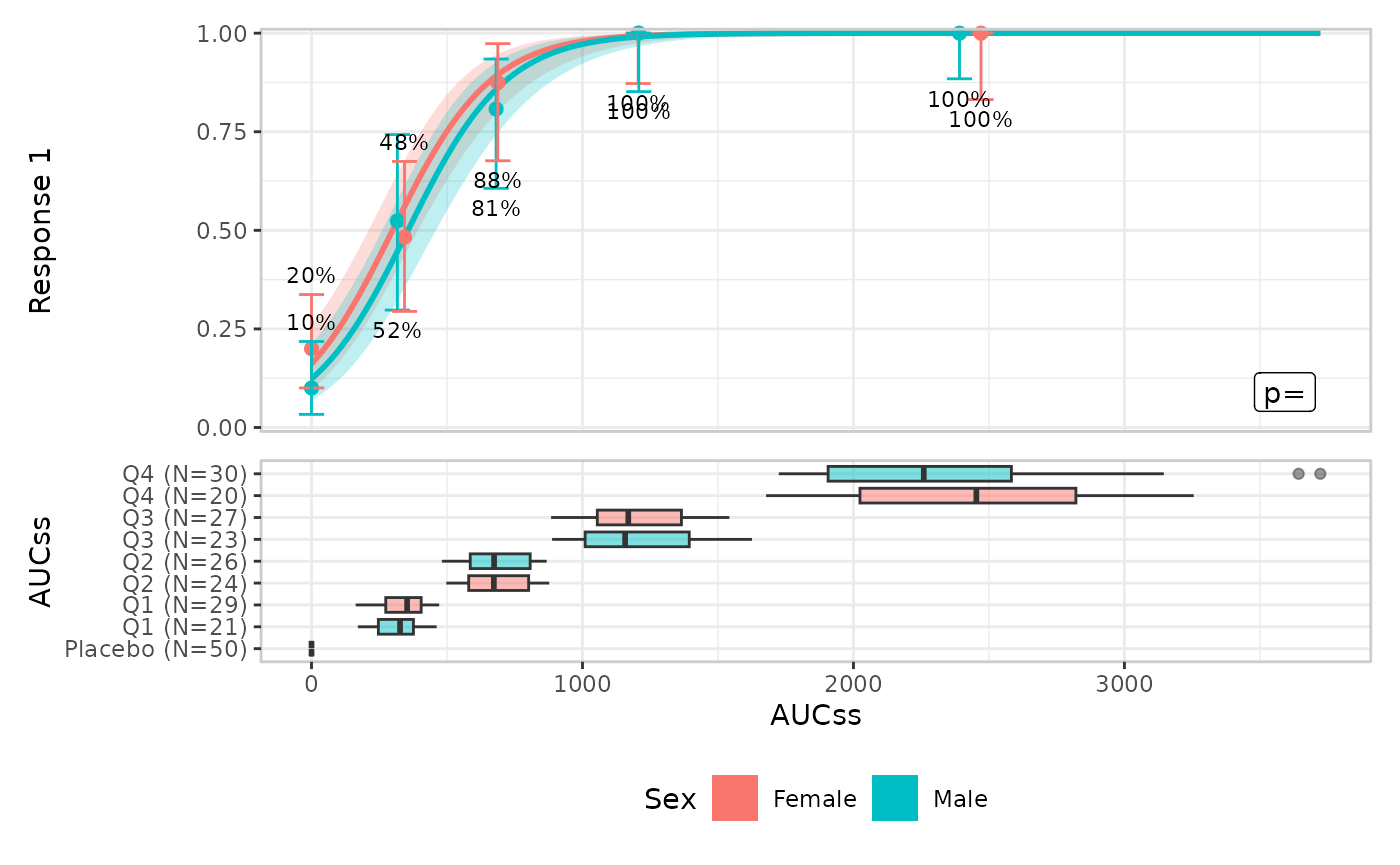
The default is style = "boxplot" but you can also use
violin plots:
lr_data |>
  lr_plot(aucss, ae1) |>
  lr_plot_show_model() |>
  lr_plot_show_quantiles() |>
  lr_plot_show_groups(group_by = sex, style = "violin") |>
  plot()